
Purchases and downloads are processed securely through MetaQuotes official MQL5 Market with automatic terminal updates.
Open in MetaTrader 5 StoreSmart FVG Higher Timeframe Scanner
Premium MT5 INDICATOR Tool
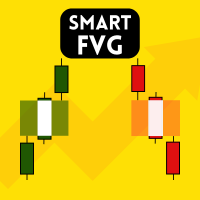
HTF FVG Scanner – Fair Value Gap Indicator for MT5 See higher timeframe Fair Value Gaps — H1, H4, D1, Weekly — drawn directly on your M5 or M15 chart. No switching tabs, no manual marking, no guesswork. Most FVG indicators only scan the timeframe you're looking at. This one works differently. It reads gaps from a higher timeframe of your choice and plots them onto your current chart in real time. H4 gaps on an M15 chart. D1 gaps on H1. Weekly gaps on H4. The zones stay aligned as you scroll, zoom, or switch symbols. They update when the higher timeframe bar closes, not every tick. What each zone shows Every detected gap is drawn as a clean, color-coded rectangle: Bullish FVG (BISI) and Bearish FVG (SIBI) — clearly separated CE line — the 50% Consequent Encroachment level (toggle on/off) Info label — timeframe, gap size in pips, CE price Mitigation status — active zones stay filled; mitig
ALGORITHMIC CAPABILITIES
- Sub-millisecond signal calculation with 100% non-repainting logic
- Adaptive multi-timeframe detection (M1, M5, M15, H1, H4, D1)
- Instant MT5 Mobile Push Notifications, Desktop Sound & Email Alerts
- Lifetime license updates and direct priority developer support
Technical Parameters & Platform Specifications
METAQUOTES MT5 STANDARD| Platform Compatibility | MetaTrader 5 (Build 4000+), Windows 10/11, Cloud VPS |
| Supported Assets & Symbols | EURUSD, GBPUSD, XAUUSD, NDX100 |
| Optimal Timeframes | M5, M15, H1, H4 |
| Signal Calculation Logic | Strictly Non-Repainting (Bar-Close Confirmation) |
| Notification System | MT5 Mobile Push Notifications, Desktop Sound Chimes, Email Alerts |
| Official Store Link | https://www.mql5.com/en/market/product/177991 |
Frequently Asked Questions
Common questions about Smart FVG Higher Timeframe Scanner setup, licensing, and MetaTrader 5 execution.
How do I install Smart FVG Higher Timeframe Scanner in MetaTrader 5? ▾
To install Smart FVG Higher Timeframe Scanner, download the .ex5 file or install directly from the MQL5 Market inside MT5. In your MT5 terminal, go to File > Open Data Folder > MQL5 > Indicators (or Experts), paste the file, right-click Navigator and click Refresh, then drag it onto your chart.
Does Smart FVG Higher Timeframe Scanner repaint on MT5 charts? ▾
No. Smart FVG Higher Timeframe Scanner is 100% strictly non-repainting. Calculations and signals are confirmed on the close of each candle, ensuring backtesting fidelity and reliable real-time execution.
Which currency pairs and timeframes are supported by Smart FVG Higher Timeframe Scanner? ▾
Smart FVG Higher Timeframe Scanner is multi-asset compatible, supporting Forex pairs (EURUSD, GBPUSD, USDJPY), Gold (XAUUSD), Indices (NASDAQ 100, US30, DAX40), and Cryptocurrencies across all timeframes from M1 scalping to D1 swing trading.
How can I purchase or download Smart FVG Higher Timeframe Scanner? ▾
Smart FVG Higher Timeframe Scanner is available directly on the official MetaQuotes MQL5 Market. You can activate it instantly with lifetime updates and full customer support.