
Purchases and downloads are processed securely through MetaQuotes official MQL5 Market with automatic terminal updates.
Open in MetaTrader 5 StoreSmart FVG indicator MT4
Premium MT5 INDICATOR Tool
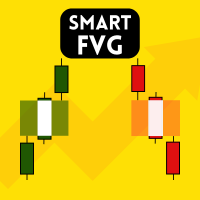
Smart FVG Indicator MT4 delivers professional Fair Value Gap (FVG) detection, monitoring, and alerting directly on your charts. It combines ATR-based filtering with structure-aware logic to remove noise, adapt to liquidity, and keep only the most relevant imbalances for precise decisions. Key Advantages Accurate FVG detection: Identifies genuine inefficiencies, not just simple candle gaps. ATR-based precision: Adaptive sensitivity filters out low-quality signals across markets and timeframes. Live validity tracking: Zones are extended, adjusted, or removed when price fills or breaks them. Customizable visuals: Configure colors, line styles, and fills to match any template. Actionable alerts: Notifications for new and broken or filled FVGs in real time. Performance optimized: Lightweight design for multi-pair, multi-timeframe scanning. How It Works Attach the indicator to any MT4 chart an
ALGORITHMIC CAPABILITIES
- Sub-millisecond signal calculation with 100% non-repainting logic
- Adaptive multi-timeframe detection (M1, M5, M15, H1, H4, D1)
- Instant MT5 Mobile Push Notifications, Desktop Sound & Email Alerts
- Lifetime license updates and direct priority developer support
Technical Parameters & Platform Specifications
METAQUOTES MT5 STANDARD| Platform Compatibility | MetaTrader 5 (Build 4000+), Windows 10/11, Cloud VPS |
| Supported Assets & Symbols | EURUSD, GBPUSD, XAUUSD, NDX100 |
| Optimal Timeframes | M5, M15, H1, H4 |
| Signal Calculation Logic | Strictly Non-Repainting (Bar-Close Confirmation) |
| Notification System | MT5 Mobile Push Notifications, Desktop Sound Chimes, Email Alerts |
| Official Store Link | https://www.mql5.com/en/market/product/132601 |
Frequently Asked Questions
Common questions about Smart FVG indicator MT4 setup, licensing, and MetaTrader 5 execution.
How do I install Smart FVG indicator MT4 in MetaTrader 5? ▾
To install Smart FVG indicator MT4, download the .ex5 file or install directly from the MQL5 Market inside MT5. In your MT5 terminal, go to File > Open Data Folder > MQL5 > Indicators (or Experts), paste the file, right-click Navigator and click Refresh, then drag it onto your chart.
Does Smart FVG indicator MT4 repaint on MT5 charts? ▾
No. Smart FVG indicator MT4 is 100% strictly non-repainting. Calculations and signals are confirmed on the close of each candle, ensuring backtesting fidelity and reliable real-time execution.
Which currency pairs and timeframes are supported by Smart FVG indicator MT4? ▾
Smart FVG indicator MT4 is multi-asset compatible, supporting Forex pairs (EURUSD, GBPUSD, USDJPY), Gold (XAUUSD), Indices (NASDAQ 100, US30, DAX40), and Cryptocurrencies across all timeframes from M1 scalping to D1 swing trading.
How can I purchase or download Smart FVG indicator MT4? ▾
Smart FVG indicator MT4 is available directly on the official MetaQuotes MQL5 Market. You can activate it instantly with lifetime updates and full customer support.