
Purchases and downloads are processed securely through MetaQuotes official MQL5 Market with automatic terminal updates.
Obter no MQL5Smart FVG Higher Timeframe Scanner
Ferramenta Premium MT5 INDICATOR
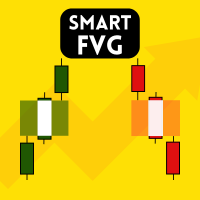
HTF FVG Scanner – Indicador de Fair Value Gap para MT5 Exibe Fair Value Gaps de timeframes superiores — H1, H4, D1, Semanal — diretamente no gráfico M5 ou M15. Sem trocar de janela nem marcar manualmente. A maioria dos indicadores FVG escaneia apenas o timeframe atual. Este funciona de forma diferente: ele lê os gaps de um timeframe superior e os desenha no gráfico atual em tempo real. Gaps de H4 em um gráfico M15. Gaps de D1 em H1. Gaps semanais em H4. As zonas permanecem alinhadas ao rolar, ampliar ou trocar de símbolo. São atualizadas no fechamento da vela do timeframe superior, não a cada tick. Cada zona mostra: FVG de alta (BISI) e baixa (SIBI), linha CE de 50%, rótulo com timeframe e tamanho do gap, status de mitigação, confluência, FVG de inversão (IFVG), e destaque da zona mais próxima. Painel interativo no gráfico. Presets: Scalp (M15), Intraday (H1), Swing (H4). Filtros: ATR, p
ALGORITHMIC CAPABILITIES
- Cálculo de sinal sub-milissegundo com 100% de lógica sem repaint
- Detecção adaptativa de múltiplos tempos gráficos (M1, M5, M15, H1, H4, D1)
- Notificações push imediatas no celular, alertas sonoros e e-mail
- Atualizações vitalícias de licença e suporte direto do desenvolvedor
Technical Parameters & Platform Specifications
METAQUOTES MT5 STANDARD| Compatibilidade da Plataforma | MetaTrader 5 (Build 4000+), Windows 10/11, Cloud VPS |
| Ativos Suportados | EURUSD, GBPUSD, XAUUSD, NDX100 |
| Tempos Gráficos Recomendados | M5, M15, H1, H4 |
| Lógica de Repaint | NÃO REPINTE (Confirmação no fechamento) |
| Sistema de Alertas | MT5 Mobile Push Notifications, Desktop Sound Chimes, Email Alerts |
| Link Oficial da Loja | https://www.mql5.com/en/market/product/177991 |
Perguntas Frequentes
Tire suas dúvidas sobre instalação e licenças no MetaTrader 5.
How do I install Smart FVG Higher Timeframe Scanner in MetaTrader 5? ▾
To install Smart FVG Higher Timeframe Scanner, download the .ex5 file or install directly from the MQL5 Market inside MT5. In your MT5 terminal, go to File > Open Data Folder > MQL5 > Indicators (or Experts), paste the file, right-click Navigator and click Refresh, then drag it onto your chart.
Does Smart FVG Higher Timeframe Scanner repaint on MT5 charts? ▾
No. Smart FVG Higher Timeframe Scanner is 100% strictly non-repainting. Calculations and signals are confirmed on the close of each candle, ensuring backtesting fidelity and reliable real-time execution.
Which currency pairs and timeframes are supported by Smart FVG Higher Timeframe Scanner? ▾
Smart FVG Higher Timeframe Scanner is multi-asset compatible, supporting Forex pairs (EURUSD, GBPUSD, USDJPY), Gold (XAUUSD), Indices (NASDAQ 100, US30, DAX40), and Cryptocurrencies across all timeframes from M1 scalping to D1 swing trading.
How can I purchase or download Smart FVG Higher Timeframe Scanner? ▾
Smart FVG Higher Timeframe Scanner is available directly on the official MetaQuotes MQL5 Market. You can activate it instantly with lifetime updates and full customer support.