
Purchases and downloads are processed securely through MetaQuotes official MQL5 Market with automatic terminal updates.
MQL5'te İndir, Satın AlSmart FVG Higher Timeframe Scanner
Premium MT5 INDICATOR Aracı
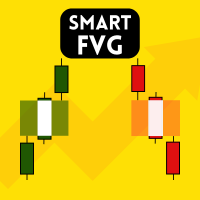
HTF FVG Scanner – MT5 için Fair Value Gap Göstergesi Daha yüksek zaman dilimlerindeki (H1, H4, D1, Haftalık) Fair Value Gap'leri doğrudan M5 veya M15 grafiğinizde gösterir. Pencere değiştirmeye veya manuel işaretlemeye gerek yok. Çoğu FVG göstergesi yalnızca mevcut zaman dilimini tarar. Bu gösterge farklı çalışır: seçtiğiniz daha yüksek bir zaman dilimindeki boşlukları okur ve gerçek zamanlı olarak mevcut grafiğinize çizer. M15 grafiğinde H4 boşlukları. H1'de D1 boşlukları. H4'te haftalık boşluklar. Bölgeler kaydırma, yakınlaştırma ve sembol değiştirme sırasında hizalanmış halde kalır. Her tick'te değil, daha yüksek zaman dilimi mumu kapandığında güncellenir. Her bölge şunları gösterir: Yükseliş FVG (BISI) ve düşüş FVG (SIBI), %50 CE çizgisi, zaman dilimi ve pip cinsinden boşluk boyutu etiketi, mitigasyon durumu, birleşme işareti, ters FVG (IFVG), en yakın bölge vurgulaması. Etkileşimli
ALGORITHMIC CAPABILITIES
- 100% yeniden boyama yapmayan (non-repainting) sinyal hesaplama mantığı
- Uyarlanabilir çoklu zaman dilimi tespiti (M1, M5, M15, H1, H4, D1)
- Anında MT5 Mobil Bildirimleri, Masaüstü Sesli Uyarılar ve E-posta
- Ömür boyu lisans güncellemeleri ve doğrudan geliştirici desteği
Technical Parameters & Platform Specifications
METAQUOTES MT5 STANDARD| Platform Uyumluluğu | MetaTrader 5 (Build 4000+), Windows 10/11, Cloud VPS |
| Desteklenen Varlıklar | EURUSD, GBPUSD, XAUUSD, NDX100 |
| Önerilen Zaman Dilimleri | M5, M15, H1, H4 |
| Repaint Davranışı | REPAINT YAPMAZ (Mum kapanışıyla onay) |
| Bildirim Sistemi | MT5 Mobile Push Notifications, Desktop Sound Chimes, Email Alerts |
| Resmi Mağaza Bağlantısı | https://www.mql5.com/en/market/product/177991 |
Sıkça Sorulan Sorular
MetaTrader 5 kurulumu ve lisanslama hakkında merak edilenler.
How do I install Smart FVG Higher Timeframe Scanner in MetaTrader 5? ▾
To install Smart FVG Higher Timeframe Scanner, download the .ex5 file or install directly from the MQL5 Market inside MT5. In your MT5 terminal, go to File > Open Data Folder > MQL5 > Indicators (or Experts), paste the file, right-click Navigator and click Refresh, then drag it onto your chart.
Does Smart FVG Higher Timeframe Scanner repaint on MT5 charts? ▾
No. Smart FVG Higher Timeframe Scanner is 100% strictly non-repainting. Calculations and signals are confirmed on the close of each candle, ensuring backtesting fidelity and reliable real-time execution.
Which currency pairs and timeframes are supported by Smart FVG Higher Timeframe Scanner? ▾
Smart FVG Higher Timeframe Scanner is multi-asset compatible, supporting Forex pairs (EURUSD, GBPUSD, USDJPY), Gold (XAUUSD), Indices (NASDAQ 100, US30, DAX40), and Cryptocurrencies across all timeframes from M1 scalping to D1 swing trading.
How can I purchase or download Smart FVG Higher Timeframe Scanner? ▾
Smart FVG Higher Timeframe Scanner is available directly on the official MetaQuotes MQL5 Market. You can activate it instantly with lifetime updates and full customer support.